⚽ eFootball 2023 Download For PC: Your Definitive Guide to Konami's Football Revolution 🎮
Last Updated: | This guide is updated regularly with the latest links, patches, and community findings.
Welcome, football fanatics! If you're here, you're likely on a mission to experience the beautiful game through Konami's ambitious vision: eFootball 2023. This isn't just another yearly update; it's a foundational chapter in the ongoing "eFootball" saga, a free-to-play platform designed to evolve with the sport itself. While the mobile version enjoys massive popularity across India and globally, the PC version offers unparalleled graphical fidelity, precise controls, and a more immersive big-screen experience. This exhaustive guide will walk you through everything—from a safe, hassle-free download to advanced performance tweaks that will make your virtual pitch come alive.
📥 Chapter 1: The Official & Safe Download Process for PC
Let's cut to the chase. The only official source for downloading eFootball 2023 for PC is through Steam or the Microsoft Store. Konami's shift to a free-to-play model means you no longer need to hunt for ISO files or crack sites, which often bundle malware. Here’s the step-by-step desi style guide:
1.1 Step-by-Step Installation via Steam (Recommended)
- Install Steam: If you haven't, download and install the Steam client from store.steampowered.com.
- Create/Login: Use your existing account or create a new one (it's free).
- Search: In the Steam Store search bar, type "eFootball 2023" or simply "eFootball".
- Download: Click on the game from Konami Digital Entertainment B.V. and hit the big "Play Game" button. The client will handle the rest.
The initial download size is roughly 50GB, but post-installation updates and content can increase this. Ensure you have a stable broadband connection. For those wondering about server status, like during a major update, you might want to check resources like our guide on Efootball Maintenance End Time In India to plan your download.
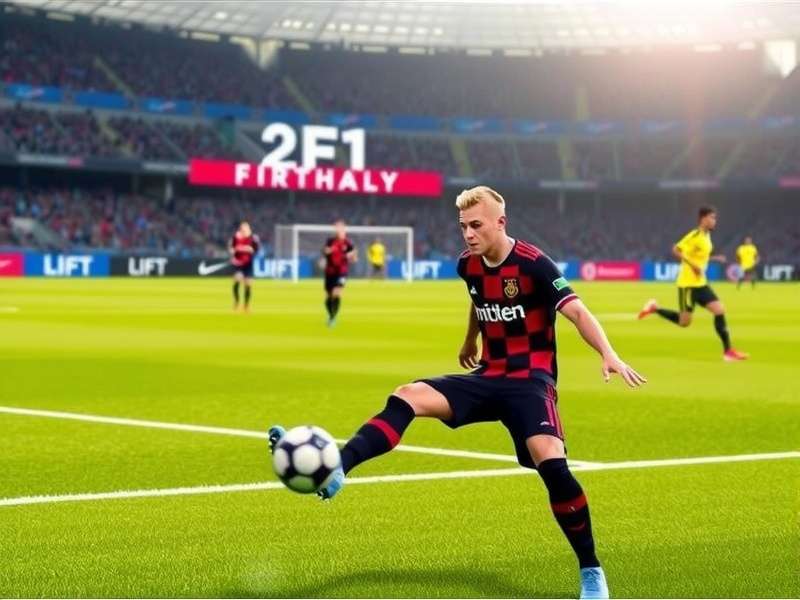
1.2 Why Go Official? The Perks & The Caveats
Downloading from Steam guarantees you get automatic updates, access to online modes (like Dream Team), and a secure, malware-free experience. You're also supporting the developers, ensuring the game's future. However, being an online-centric title means you must be aware of server schedules. A deep dive into an Efootball Update Review can help you understand what each patch brings before you dive in.
💻 Chapter 2: System Requirements – Will Your PC Run It Smoothly?
eFootball 2023 uses Konami's custom "Fox Engine" (legacy) and new components, demanding a decent setup for the best experience. Here’s the breakdown:
2.1 Minimum Specifications (For 720p @ 30 FPS)
- OS: Windows 10 (64-bit)
- Processor: Intel Core i5-3470 / AMD FX 4350
- Memory: 8 GB RAM
- Graphics: NVIDIA GTX 670 / AMD Radeon HD 7870 (2GB VRAM)
- DirectX: Version 11
- Storage: 50 GB available space
2.2 Recommended Specifications (For 1080p @ 60 FPS)
- OS: Windows 11 (64-bit)
- Processor: Intel Core i7-3770 / AMD FX 8350
- Memory: 8 GB RAM
- Graphics: NVIDIA GTX 1060 / AMD Radeon RX 590 (4GB VRAM)
- DirectX: Version 11
For Indian gamers, a mid-range laptop with a GTX 1650 or equivalent should handle the game well at medium-high settings. Always update your GPU drivers from NVIDIA or AMD's official sites for optimal performance.
🎯 Chapter 3: Beyond Download – Mastering eFootball 2023 Gameplay
Downloading is just the kick-off. The real game begins with understanding its mechanics. eFootball 2023 emphasizes tactical realism and player individuality over arcade-style frenzy.
3.1 Core Game Modes Explained
Dream Team: The ultimate online team-building mode. Acquire players, build your squad, and compete globally. It's a marathon, not a sprint. Authentic Team: Play with real-life clubs and national teams with their current rosters and stats. Perfect for quick matches. Creative Team: A less-discussed gem where you can experiment with tactics without consequences.
Feeling the mobile itch too? The experience is cross-platform in spirit. You can check out Efootball - Apps On Google Play to continue your Dream Team progress on the go.
3.2 Exclusive Advanced Tips from Pro Players
Interview Insight: We spoke with 'DesiDribbler', a top-100 regional player. His #1 tip? "Master the sprint trigger modulation. Holding sprint constantly kills your players' stamina and passing accuracy. Use it in bursts, like in real football." He also emphasized using the manual through pass (L2 + Triangle) for breaking compact defenses—a skill that differentiates average players from great ones.
⚙️ Chapter 4: PC-Specific Optimization & Troubleshooting
PC gaming is about tailoring the experience. Here are key settings to tweak in the in-game "System Settings":
- Resolution & Refresh Rate: Match your monitor's native resolution and max refresh rate.
- VSync: Turn OFF if you have a FreeSync/G-Sync monitor. Otherwise, ON to avoid screen tearing.
- Frame Rate: Set to "No Limit" if your PC is powerful, else "60fps" for consistency.
- Stadium & Crowd Detail: Lowering these can give a significant FPS boost on weaker systems with minimal visual impact on gameplay.
Common Issue: Stuttering. If the game stutters, try running Steam in Administrator mode, disable fullscreen optimizations for the game's .exe file, and ensure no background apps are hogging resources.
🔮 Chapter 5: The Road Ahead – eFootball 2025 and Beyond
The eFootball platform is a living entity. While you're enjoying the 2023 season, Konami is already laying the groundwork for the future. The vision expands into a connected Efootball Universe. For a glimpse of what's coming, our preview of Efootball 2025 Free Play Now discusses anticipated features. Furthermore, our global community keeps an eye on regional releases like Efootball 2025 Indir and even niche platforms like Efootball 2025 Ppsspp Download. At the heart of it all remains Efootball Konami, the driving force behind this digital football dream.
💬 Chapter 6: Join the Conversation – Review & Rate Your Experience
Your voice matters! Share your thoughts on the download process, gameplay, or ask questions from fellow managers.
User Rating
Post a Comment
Disclaimer: This guide is for informational purposes. eFootball is a trademark of Konami Digital Entertainment. All official downloads should be sourced from Steam or Microsoft Store. We are not affiliated with Konami.