Download Efootball: The Ultimate Indian Gamer's Guide to Konami's Free Football Revolution 🚀
Ready to experience the beautiful game like never before? This definitive guide walks you through downloading, installing, and mastering eFootball on every device—absolutely free. We cover APK safety, data management for Indian networks, exclusive gameplay strategies, and what the Efootball Update 2025 holds for players in India.
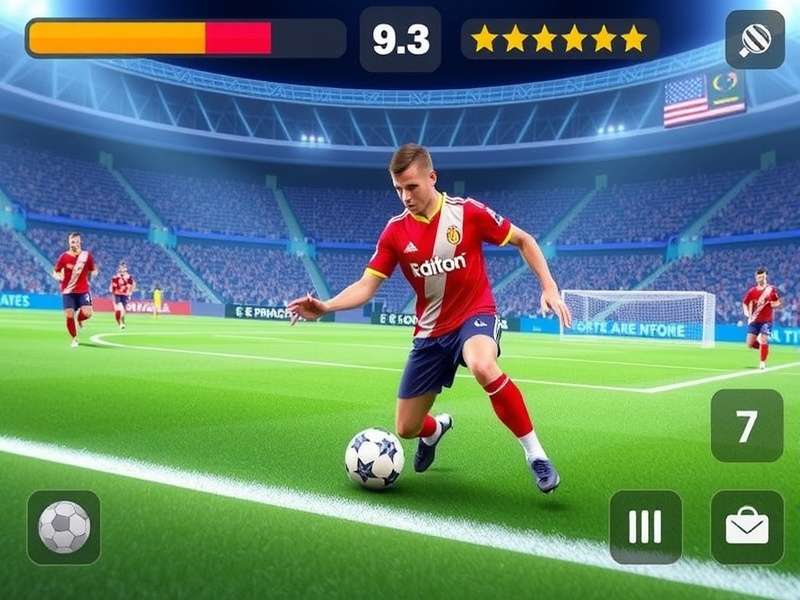
eFootball 2025 delivers breathtaking realism, making every match feel authentic.
Why eFootball is a Game-Changer for Indian Football Fans ⚽
For decades, football gaming was synonymous with expensive annual releases. Konami changed the game—literally—by transitioning from the beloved Pro Evolution Soccer franchise to the free-to-play eFootball platform. This shift means you no longer need to shell out thousands of rupees each year to enjoy a top-tier football simulation.
In India, with mobile gaming dominating the landscape, eFootball's optimized Android and iOS clients are a blessing. The game runs surprisingly well on mid-range smartphones, bringing console-quality mechanics to your pocket. Whether you're on a bustling Mumbai local or enjoying a quiet evening in Bangalore, a quick match is just a tap away.
Pro Tip: Use a stable Wi-Fi connection for the initial Efootball Update Download, which can be hefty. Afterwards, you can manage data usage in settings for smoother gameplay on mobile networks.
Step-by-Step: How to Download eFootball on Any Device
Follow these precise steps to get eFootball running on your preferred platform. We address common Indian user concerns like APK sources, storage space, and regional availability.
For Android Phones & Tablets (APK/Google Play)
The primary method is via the Google Play Store. Simply search for "eFootball" and hit install. However, some older or region-locked devices might not find it. In that case, a trusted APK from a reputable site like our Efootball Hub is safe.
- Go to Settings > Security and enable "Install from Unknown Sources".
- Download the latest APK from our verified link (ensure it's the Efootball Update 2024 version or newer).
- Open the APK file and follow the installation prompts.
- Launch the game and download additional data packs (approx. 3-4 GB).
For iPhone & iPad (iOS App Store)
Apple users have it straightforward. The game is readily available on the Indian App Store.
- Open the App Store on your device.
- Search for "eFootball".
- Tap 'Get' to download and install. Ensure you have at least 6GB of free space.
- Post-installation, the game will download real-time updates including latest player transfers and kits.
Warning: Be mindful of Efootball Maintenance Time when downloading updates. Servers are often down for scheduled maintenance, typically announced in advance in the game's news section.
For PC (Windows via Steam/Epic Games)
PC gamers can enjoy the most visually stunning version. Head to Steam or the Epic Games Store, search for "eFootball", and click 'Play Game'. It's completely free. Ensure your PC meets the minimum requirements (DX 11, 4GB RAM, Intel i5).
For Xbox Series S|X and PlayStation
Console players aren't left behind! Find eFootball on the Microsoft Store or PlayStation Store. The Efootball 2026 Xbox Series S experience is particularly optimized for smooth 60fps gameplay on next-gen hardware.
Beyond the Download: Mastering eFootball's Core Mechanics 🎮
Downloading is just the first step. To dominate, you must understand the new "Football Engine" that powers eFootball. Unlike its predecessor, it emphasizes tactical realism and player individuality.
Exclusive Control Tips for Mobile Players
Master the touch controls: Use the left virtual stick for movement, and the right side for context-sensitive actions—tap for pass, swipe for shot, and hold for through ball. Enable "Advanced Through Pass" in settings for more creative playmaking.
Building Your Dream Team (Without Spending Money)
The "Dream Team" mode is eFootball's answer to Ultimate Team. You can build a competitive squad entirely free-to-play. Log in daily, complete objectives, and strategically use your GP and coins to sign legends and current stars. Our Efootball Hub has a detailed F2P team-building guide.
The Future is Here: eFootball 2025 & Beyond 🔮
Konami is committed to annual seasonal updates rather than full-priced sequels. The Efootball 2025 Free Play Now initiative promises enhanced AI, more licensed clubs, and possibly a full Indian Super League integration. Rumors also suggest improved server infrastructure to reduce latency for players in South Asia.
Looking further ahead, the roadmap for Efootball 2026 hints at VR training modes and deeper cross-platform play, meaning your mobile progress seamlessly syncs with your console account.
Related Reading: Stay updated with all the latest changes. Check out our deep dives on the Efootball Update 2025 and the historical transition from Pro Evolution Soccer to understand the evolution of this fantastic game.
Frequently Asked Questions (Indian Gamer Edition)
Is eFootball really free?
Yes! The core game, including all gameplay modes against the AI and online matches, is completely free. In-app purchases exist for cosmetic items and to accelerate team building, but they are entirely optional.
How much data does an online match use?
Approximately 30-50 MB per 10-minute match. We recommend using Wi-Fi for the best experience.
Can I play with friends in India?
Absolutely! Use the "Room Match" feature to create a private lobby and invite friends via a code. Cross-platform play between mobile and console is also supported in some modes.
Share Your eFootball Experience
Have a tip, faced an issue, or just want to share your favourite moment? Drop a comment below!